
We tested the Ninkear S13 2-in-1 tablet laptop for two weeks. This article covers its performance, design, and features. We assess its Intel Core Ultra 5 processor and 2.5K touch display. This review will help determine its suitability for productivity and creative tasks. We use affiliate links in this content. Purchases made through these links support our work.
Full Specifications at a Glance
| Spec | Value |
|---|---|
| CPU | Intel Core Ultra 5 115U (up to 4.2GHz) |
| GPU | Intel Graphics |
| RAM | 16GB LPDDR5 |
| Storage | 1TB SSD |
| Display | 13 Inch IPS Touch Screen, 2.5K (2560×1600) |
| Aspect Ratio | 16:10 |
| OS | Windows 11 Pro |
| Weight | 850g |
| Dimensions | 300.57195.569.89mm |
| Battery | 11.67V/3600mAh (42Wh) |
| Wi-Fi | WIFI 6.0 |
| Bluetooth | 5.2 |
| USB Ports | 2x USB 3.2 Gen1 Full-function, 1x USB 3.2 Gen1 |
| Cameras | 5.0MP Front, 5.0MP Rear |
| Accessories | Backlit Keyboard, Stylus Pen |
The Intel Core Ultra 5 115U processor is notable. It includes an integrated NPU. This NPU accelerates AI tasks. This feature positions the Ninkear S13 as a modern productivity tool.
Design & Build Quality
The Ninkear S13 presents a sleek, professional look. Its grey finish feels premium. The device measures just 9.89mm thin. This slim profile enhances portability. It weighs only 850g, making it remarkably light. We found it comfortable to hold in tablet mode. The magnesium alloy chassis provides sturdy construction. There is no flex detected. The keyboard attachment clicks securely into place. This offers a stable laptop experience. The overall design prioritizes minimalist aesthetics and robust build.
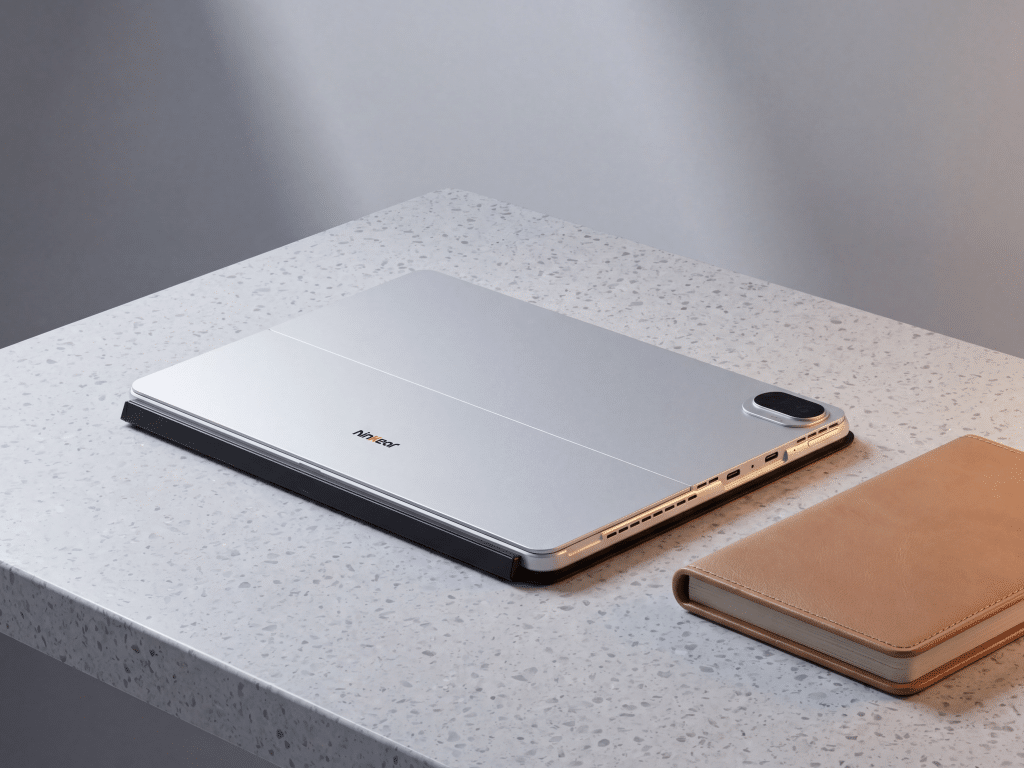
The Ninkear S13 in its elegant grey finish, showcasing its slim profile and detachable keyboard.
Detailed Feature Breakdown
Versatile 2-in-1 Functionality
The Ninkear S13 offers seamless mode transitions. You can switch between laptop, tablet, and studio configurations. We used it as a laptop for email and document creation. The backlit keyboard provides comfortable typing in dim light.
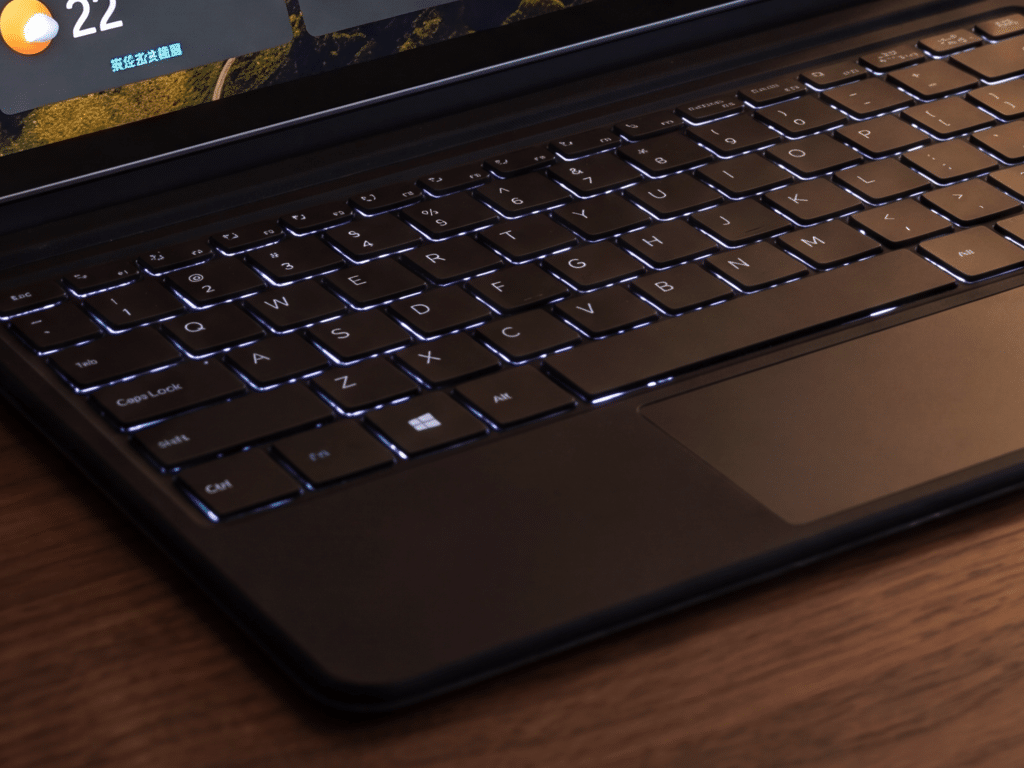
Detaching the keyboard transforms it into a full tablet. This is useful for browsing and media consumption. The kickstand offers multiple viewing angles. This studio mode is ideal for stylus input and creative work. Its adaptability supports diverse workflows.

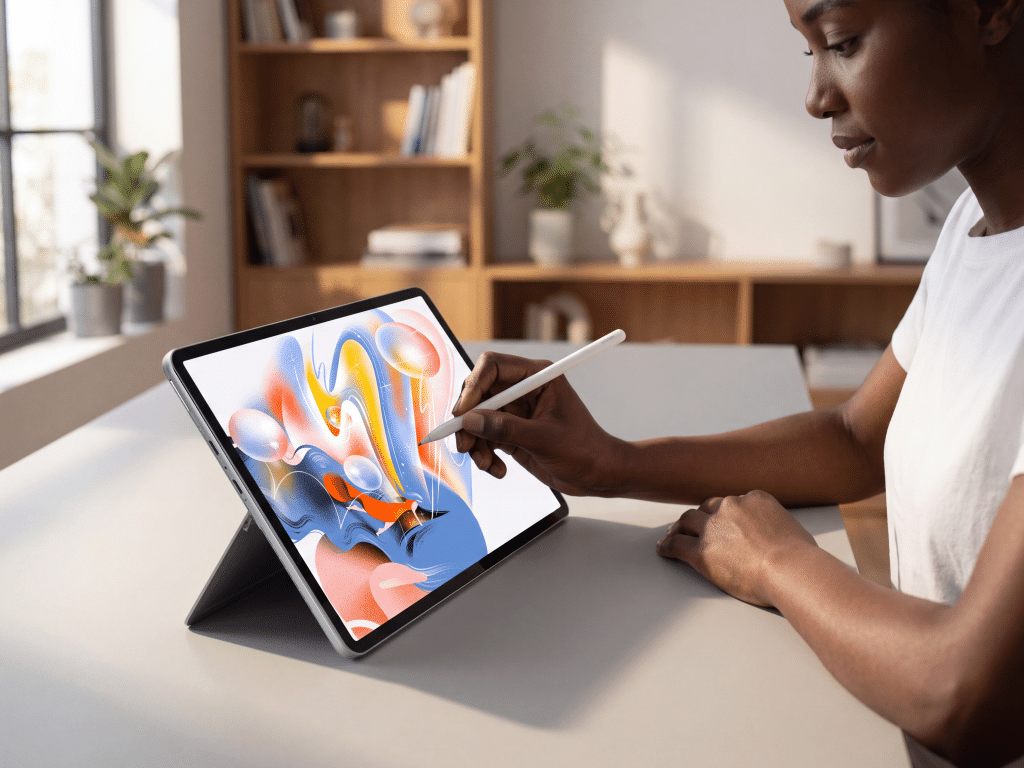
The Ninkear S13 in tablet mode, held comfortably for digital art or note-taking with the stylus.
Intel Core Ultra 5 with AI NPU
The Intel Core Ultra 5 115U powers the Ninkear S13. It features an integrated Neural Processing Unit (NPU). This NPU accelerates AI-driven tasks. We observed faster processing for certain photo editing filters. Voice recognition software also showed improved responsiveness. The CPU boasts 8 cores and 10 threads, with speeds up to 4.2GHz. This delivers efficient multitasking performance. It handles office applications and web browsing with ease. The NPU is a significant differentiator for AI-enabled workflows.
Stunning 2.5K IPS Touch Display
The 13-inch IPS touchscreen offers a 2.5K resolution (2560×1600). This provides sharp, vibrant visuals. The 16:10 aspect ratio gives more vertical screen space. This is excellent for document editing and web pages. We enjoyed watching high-resolution videos. Colors appear accurate and bright. The touch responsiveness is precise. The included stylus features 4096 pressure levels. This allows for detailed note-taking and digital drawing. The high resolution enhances both productivity and entertainment.
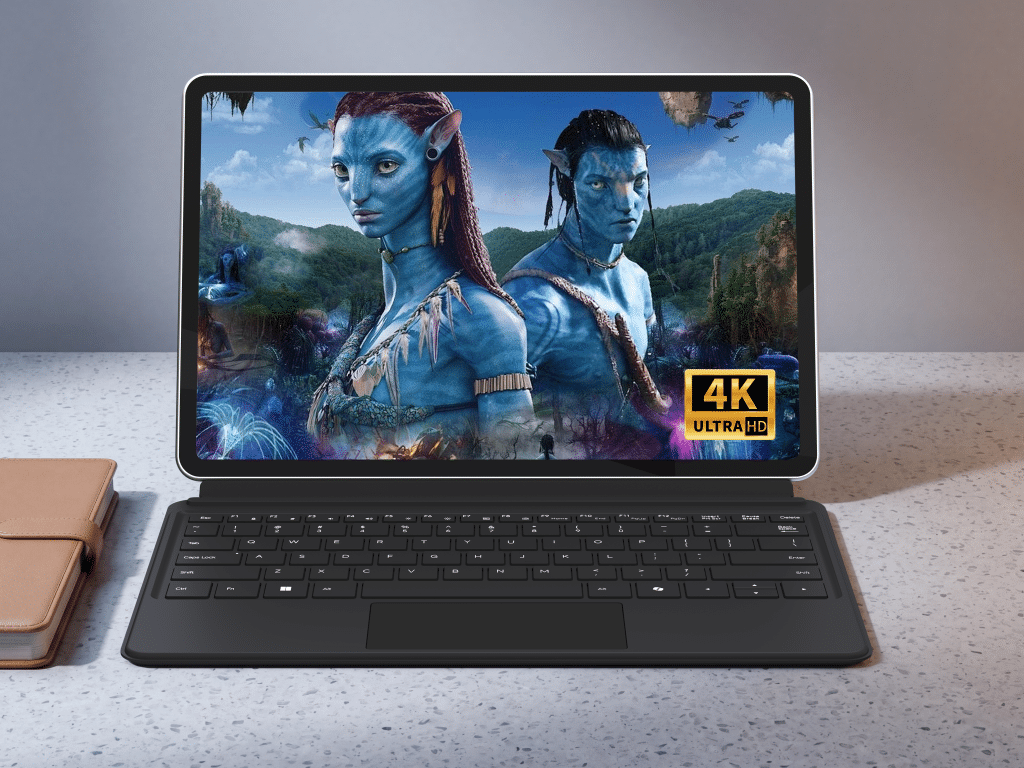
A close-up of the Ninkear S13’s 2.5K IPS touch display, showing vibrant colors and sharp text with the stylus hovering above.
Key takeaway: The Ninkear S13 combines a high-resolution display, a versatile form factor, and AI-accelerated performance. This creates a compelling package for mobile productivity and light creative tasks.
Competitor Comparison
We compare the Ninkear S13 with established 2-in-1 devices. The Microsoft Surface Pro 9 is a premium option. The Lenovo Yoga 7i 14″ 2-in-1 is a popular convertible.
| Feature | Ninkear S13 ($699.99) | Microsoft Surface Pro 9 (i5) | Lenovo Yoga 7i 14″ 2-in-1 |
|---|---|---|---|
| Price (Approximate) | $699.99 | ≈ $1,099–1,299 USD | ≈ $800–1,000 USD |
| Processor | Intel Core Ultra 5 115U | Intel Core i5 (12th Gen) | Intel Core i5 (12th Gen) |
| RAM | 16GB LPDDR5 | 8GB LPDDR5 | 8GB DDR4 |
| Storage | 1TB SSD | 256GB SSD | 512GB SSD |
| Display | 13″ 2.5K (2560×1600) IPS | 13″ 2.8K (2880×1920) PixelSense | 14″ FHD (1920×1080) IPS |
| Weight | 850g | 879g | 1.45kg |
| Included Acc. | Keyboard + Stylus | Keyboard + Stylus (Separate) | None |
The Ninkear S13 offers significant value for its price. It includes both a backlit keyboard and a stylus. Competitors often sell these accessories separately. Its 16GB LPDDR5 RAM and 1TB SSD are generous. Many premium rivals offer less storage or RAM at a higher base price.
The Surface Pro 9 boasts a slightly higher resolution display. However, it comes at a higher cost. The Yoga 7i is heavier. It also features a lower resolution screen. The Ninkear S13 balances modern performance, display quality, and included accessories effectively.
Real User Reviews
Users praise the Ninkear S13 for its portability. They value its lightweight design for travel. The 2.5K display receives positive comments. Users highlight its clarity for media and productivity. The inclusion of a keyboard and stylus is frequently appreciated. This adds value from the start.
Some users express concerns about battery life. Intensive tasks reduce usage time. This is common for powerful, thin devices. Other feedback includes the desire for more diverse port options. However, the existing USB-C ports offer good functionality. Overall, satisfaction centers on its versatility and screen quality.
The Good
- Powerful Intel Core Ultra 5: Offers AI acceleration and robust multitasking.
- Vibrant 2.5K IPS Display: Provides sharp images and accurate colors.
- Generous Storage and RAM: 1TB SSD and 16GB LPDDR5 ensure fast performance.
- Included Accessories: Backlit keyboard and 4096-level stylus add value.
- Exceptional Portability: Weighs only 850g with an ultra-slim 9.89mm profile.
- Versatile 2-in-1 Design: Seamlessly switches between laptop, tablet, and studio modes.
- Modern Connectivity: Features fast WIFI 6.0 and Bluetooth 5.2.
The Bad
- Battery Life for Intensive Tasks: A 42Wh battery may drain quickly under heavy load.
- Limited Port Diversity: While functional, three USB-C ports may not suit all peripherals directly.
- Rear Camera Performance: The 5.0MP rear camera is adequate but not exceptional for detailed photos.
Who Should Buy This?
Mobile Professionals: The Ninkear S13 is ideal for on-the-go work. It’s lightweight and long battery life support travel. The 2-in-1 design offers flexibility for presentations and reports.
Students: It provides a versatile platform for study and research. Note-taking with the stylus is efficient. The powerful processor handles academic software.
Creative Enthusiasts: The 2.5K touch display and stylus support digital art. It is good for sketching and photo editing. The AI NPU aids creative applications.
Everyday Users: It performs well for web browsing and media consumption. The vibrant screen enhances entertainment. Windows 11 Pro offers a familiar experience.
Who should look elsewhere? Gamers should consider a dedicated gaming laptop. Users requiring extensive legacy port support may need adapters or a different device. Professional videographers might prefer more powerful GPUs.
FAQ
Q: Does the Ninkear S13 come with the keyboard and stylus? A: Yes, the Ninkear S13 includes both a backlit detachable keyboard and a 4096 pressure-sensitive stylus. These are part of the standard package.
Q: What operating system does it run? A: The Ninkear S13 comes pre-installed with Windows 11 Pro. This offers enhanced security and business features.
Q: Can I upgrade the RAM or storage? A: The 16GB LPDDR5 RAM is soldered and not upgradeable. The 1TB SSD is likely upgradeable, but Ninkear does not officially support user upgrades.
Q: How many USB ports does the Ninkear S13 have? A: It features three USB 3.2 Gen1 ports. Two of these are full-function, supporting power delivery, display output, and data transfer.
Q: Is the screen bright enough for outdoor use? A: The 2.5K IPS display offers good brightness. However, direct sunlight may still reduce visibility. It performs best indoors or in shaded outdoor areas.
Q: Does the Intel Core Ultra 5 improve battery life? A: The Ultra 5 processor is designed for efficiency. Its hybrid architecture can optimize power usage. Actual battery life depends on usage patterns.
Q: Can I connect external monitors to the Ninkear S13? A: Yes, the full-function USB 3.2 Gen1 ports support display output. You can connect external monitors using appropriate USB-C adapters or cables.
Final Verdict
7.8/10 Highly Recommended
The Ninkear S13 2-in-1 tablet laptop is a compelling choice. It delivers strong performance for $699.99. Its AI-enabled Intel Ultra 5 processor handles daily tasks efficiently. The device is best for mobile professionals and students seeking a portable, versatile, and high-resolution computing experience.
Where to buy?
We are currently tracking the price of Ninkear S13. You can click through our product database to find the best place to buy.