
How to Get Gizcoupon Cashback: Comprehensive Guide
You can earn cashback on your purchases. Shop through Gizcoupon, then get cash back by following the simple steps! Now, let’s learn how to get it!
Two Ways to Get Cashback
After ordering on Gizcoupon, there are 2 ways to submit the order Number for cashback.
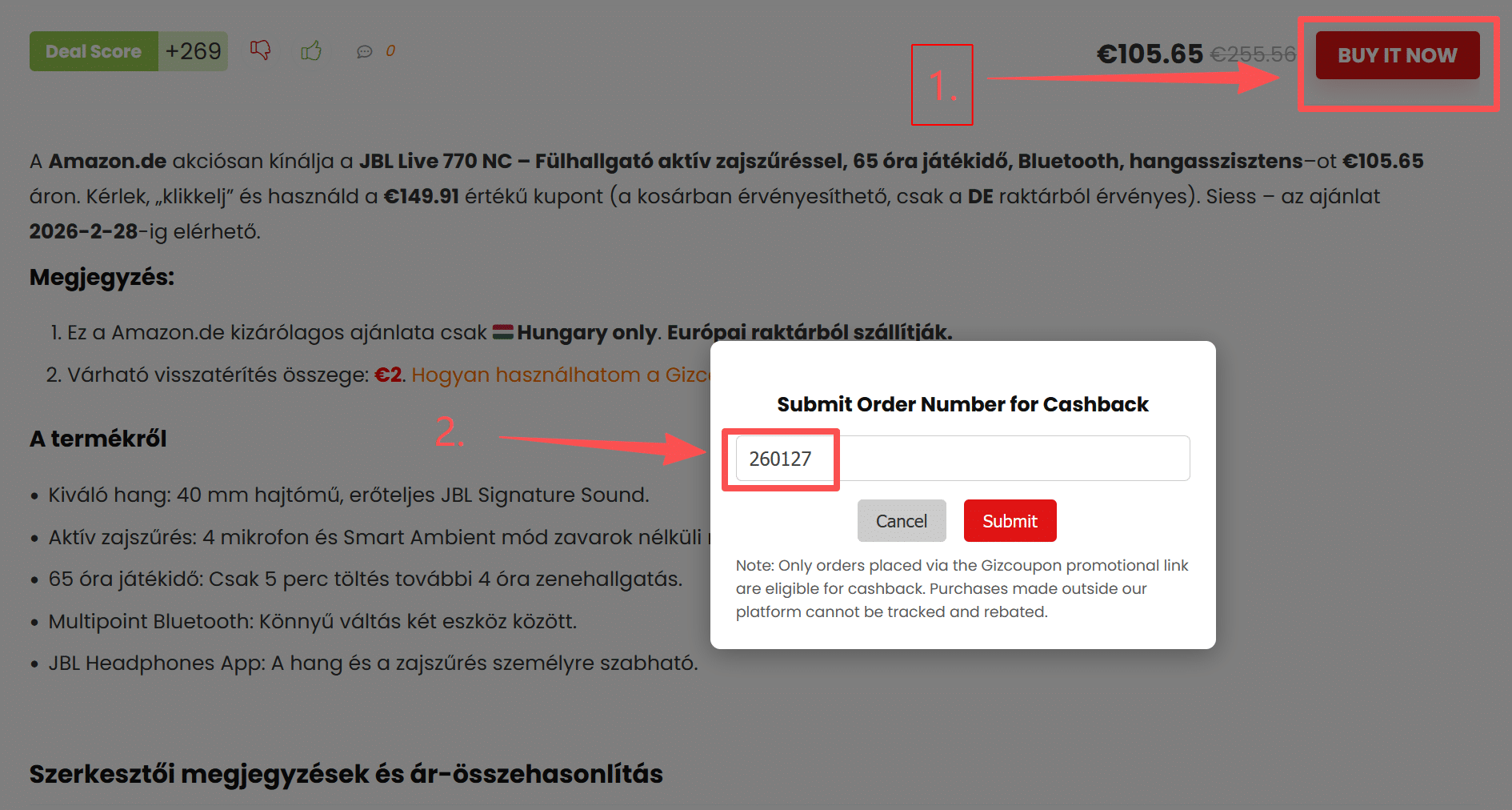
Firstly, submit your order ID on the deals page. Click BUY IT NOW, and a window will automatically pop up asking for your order details. You can enter your order ID directly there.
Note: Only orders placed via the Gizcoupon promotional link are eligible for cashback. Purchases made outside our platform cannot be tracked and rebated.
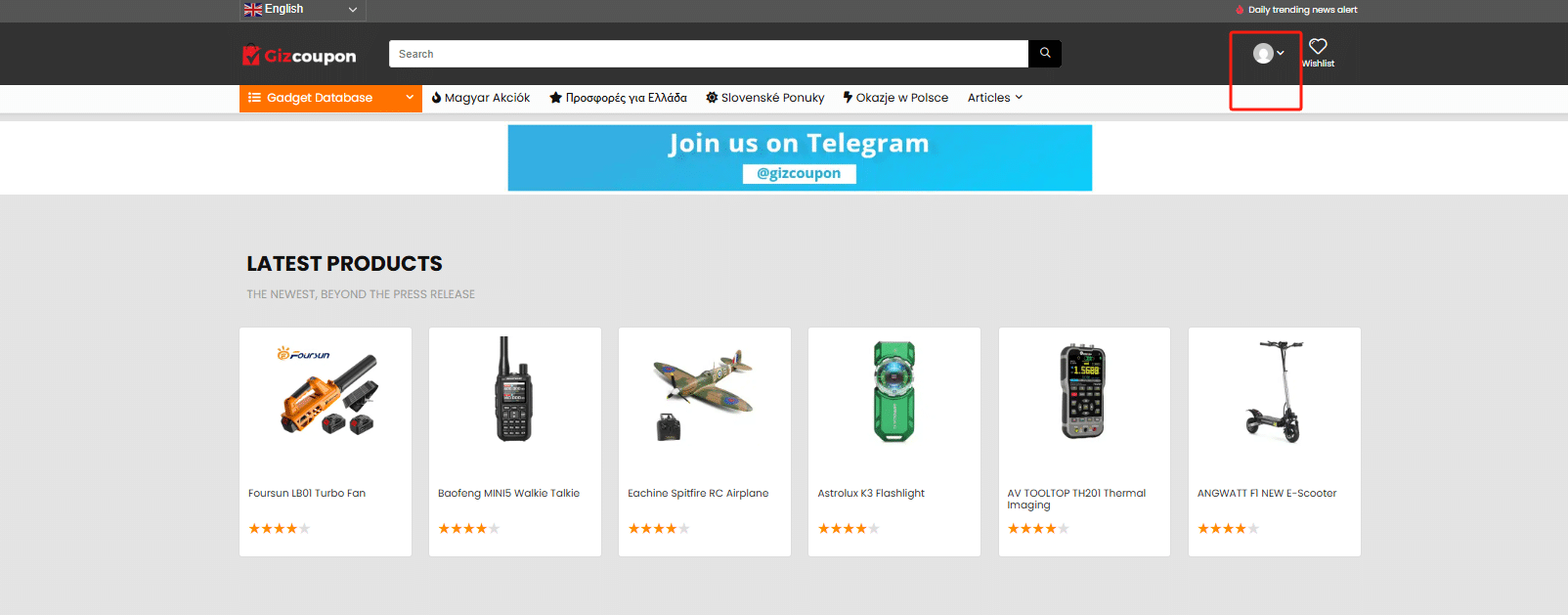
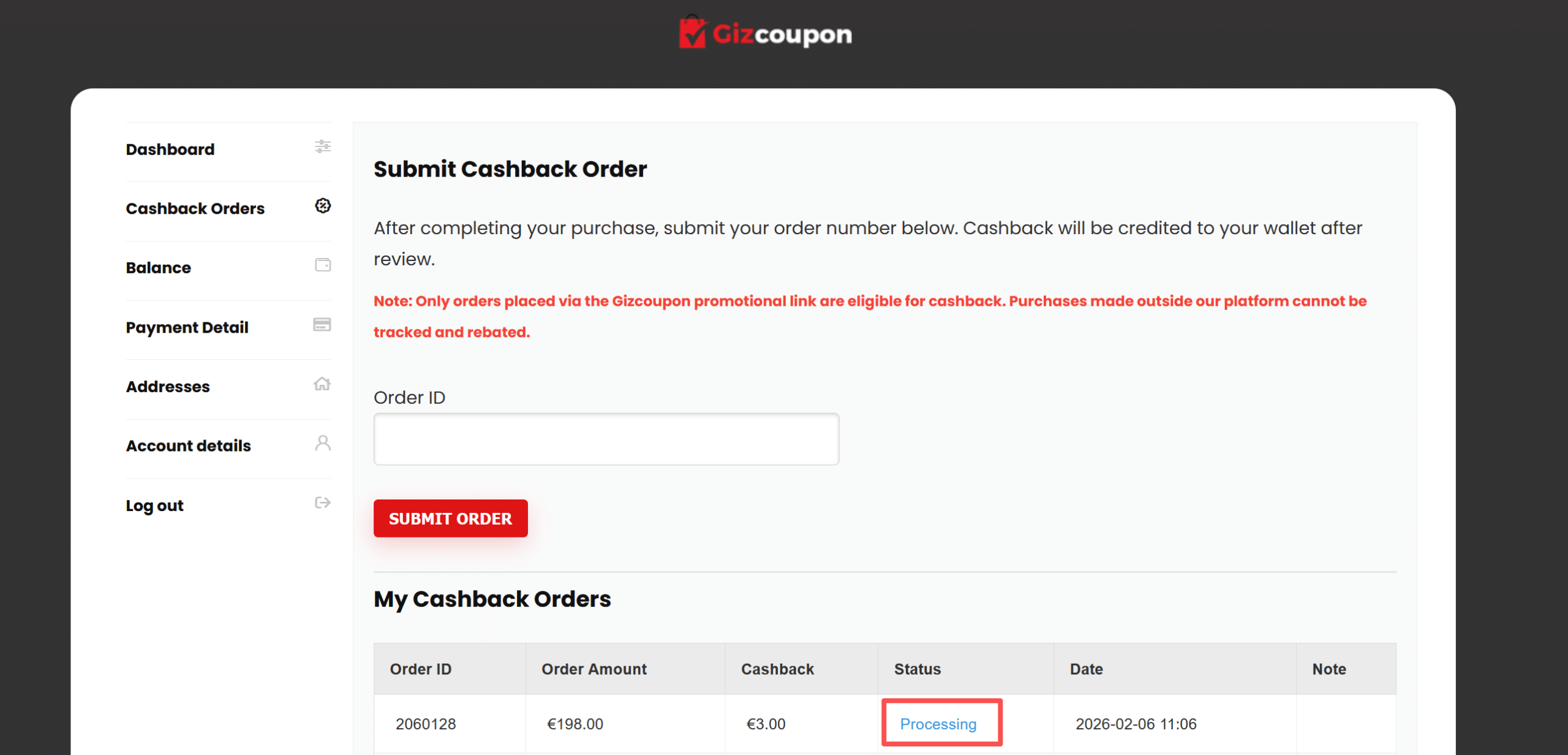
The second way is on your account dashboard. Click your account, then go to your Cashback Orders, and enter your Order ID.
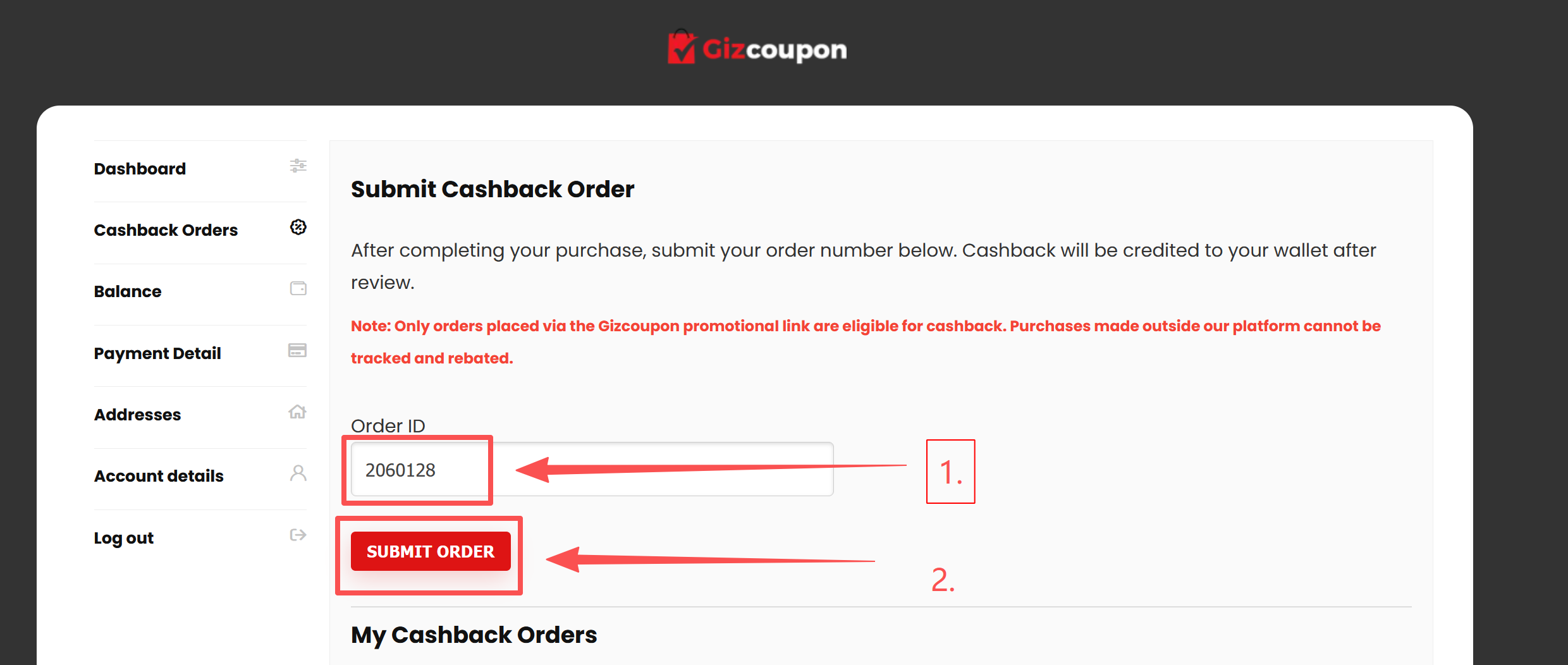
Note: Only orders placed via the Gizcoupon promotional link are eligible for cashback. Purchases made outside our platform cannot be tracked and rebated.
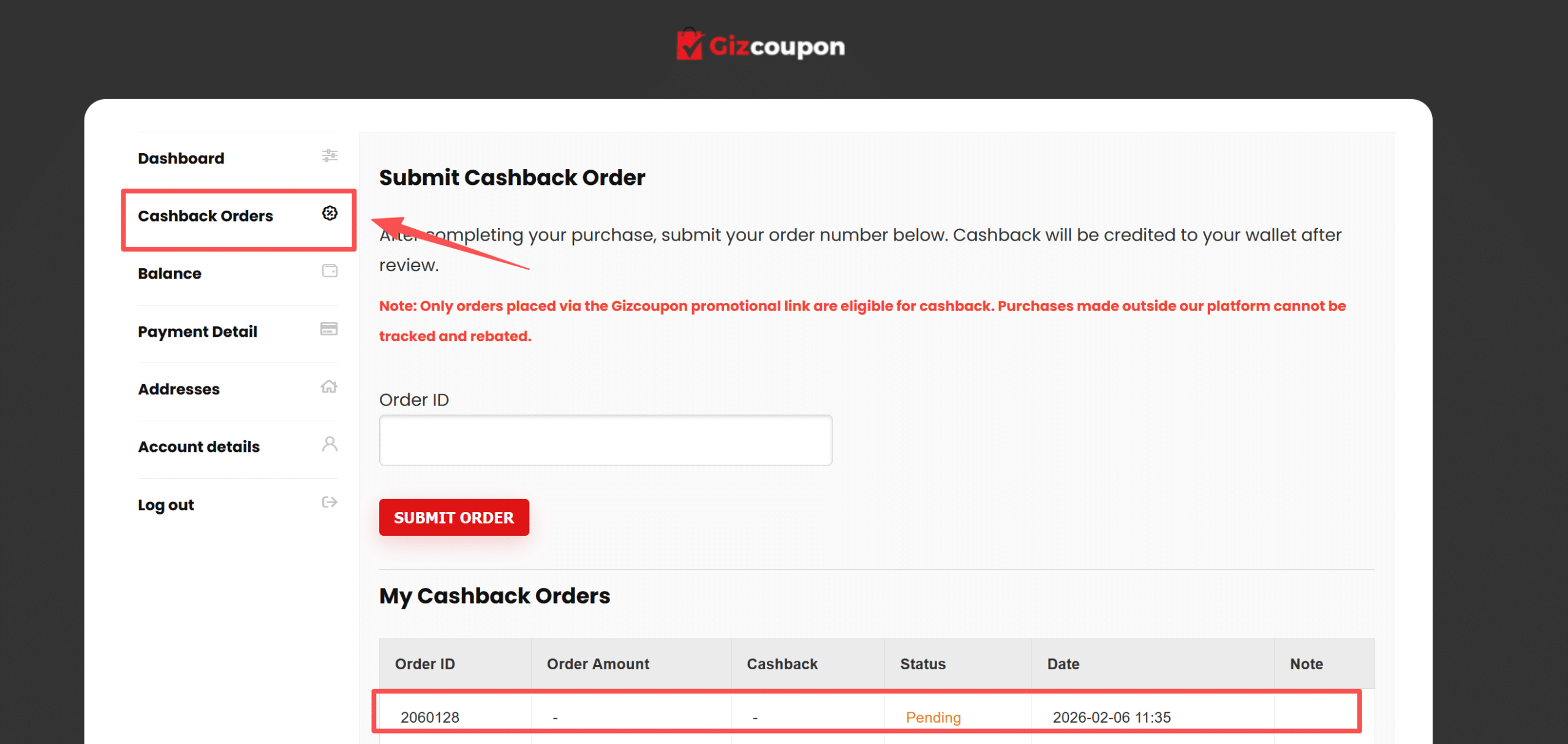
After you submit the order ID, you can visit the My Cashback Order. Here you can view the estimated money you will receive and check the current status of your request.
Once you submit your order, Gizcoupon will review the details and the amount. After this review, the status will change to Processing, and you will know the cashback amount.
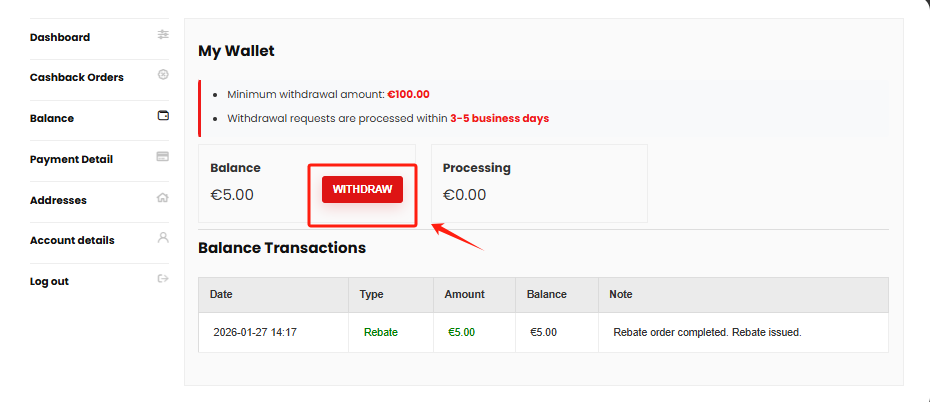
When the order has been confirmed, the Status will change to Complete. At this point, your balance will be increased. And, you can check on the Balance.
How to Withdraw?
After your account balance reaches $100, you can withdraw it. Gizcoupon supports 2 payment methods for withdrawals: PayPal and Bank Transfer. You can set up your withdrawal method in the Payment Detail.
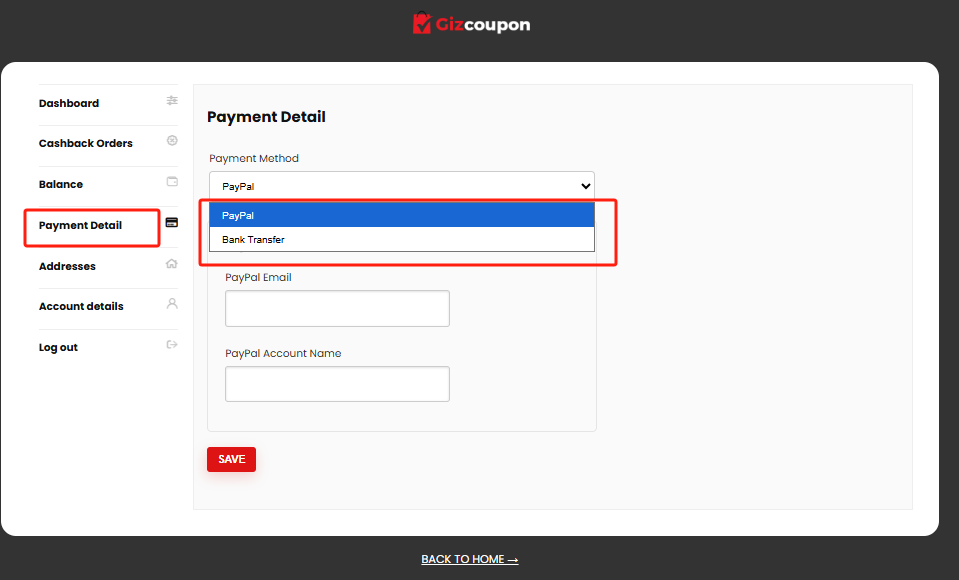
Tips: Every withdrawal includes a transaction fee.(€5 for PayPal and €3 for Bank Transfer)
It is time to start shopping and claim your cashback now! Just remember to submit your order ID as soon as you purchase, so you never miss out on your money. Happy shopping and enjoy your cashback.